Haply Features Guide: How to Get More From Every Tool
Discover the best Haply features and learn how to use every tool more intentionally, from AI coaching and habit tracking to Focus Timer, Sleep Stories, streaks, and your Today Dashboard.

By Haply Team
Haply Editorial Team
If you have opened the app, tapped around, and wondered how to use all the Haply features without feeling overwhelmed, this guide is for you. The Haply app is designed as an AI coaching app, habit tracker app, and self-improvement app in one, but the real magic happens when you know which tool to use at the right moment.
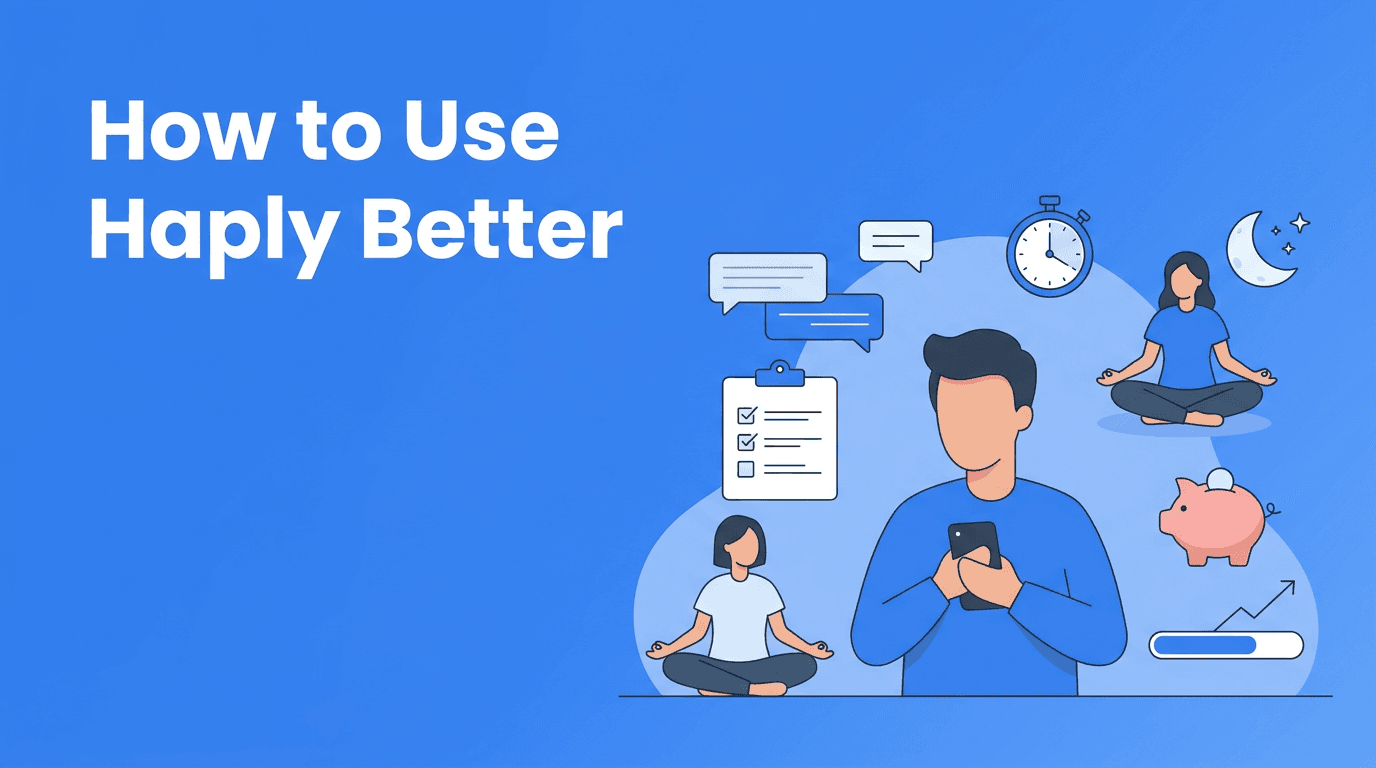
Instead of treating Haply like a random collection of tools, think of it as a personal growth system. Your AI coach helps you decide what matters, the habit tracker keeps you consistent, the mini-apps help you act in the moment, and the Today Dashboard ties everything together.
"The best self-improvement tools do not just motivate you. They make the next helpful action feel obvious."
Start with Haply AI coaches, not with your to-do list
One of the most useful Haply features is the set of specialized AI coaches. Instead of giving you generic advice, Haply lets you chat with coaches for Productivity, Wellness, Career, Learning, Finance, Creativity, and Relationships. That means you can get support that fits the area you are actually working on.
How to get better results from the AI coaching app
- Be specific with your prompt. Try: "Help me build a realistic evening routine for better sleep this week."
- Ask for tiny steps, not perfect plans. The best coaching conversations lead to actions you can do today.
- Use follow-up questions. If the first answer feels broad, ask the coach to simplify it, turn it into a checklist, or adapt it to your schedule.
- Match the coach to the problem. Use the Productivity coach for time management, the Wellness coach for stress, and the Finance coach for spending habits.
- Return to the same topic for a few days so your reflection builds momentum instead of restarting from zero.
A lot of people treat an AI coaching app like a search engine. Haply works better when you treat it like a conversation. Share what is blocking you, what you have already tried, and what success would look like by tonight or this week.
Use the habit tracker app to reduce friction
The habit system inside the Haply app is not just for tracking streaks. It is there to help you make progress visible. If you want more value from this habit tracker app, start with habits that are so easy you can complete them even on a busy day.
Three habit setups that work especially well
- Anchor habit: Attach a new habit to something you already do, like opening the Today Dashboard right after breakfast.
- Minimum version: Set a tiny baseline such as 2 minutes of meditation, 1 task planned, or 1 expense logged.
- Recovery habit: Create a habit for getting back on track, like reviewing tomorrow's priorities after a missed day.
This is where streaks become motivating instead of stressful. Protect the routine, not the ego. If you miss a day, use the app's reminders and restart quickly. A good self-improvement app helps you recover fast, not feel guilty.
Get more from Haply mini-apps in real life moments
The mini-apps are some of the most practical Haply features because they turn intention into action right away. Instead of reading advice and doing nothing, you can open a tool and start within seconds.
Focus Timer for deep work
Use the Focus Timer when you feel resistance, not just when you feel disciplined. Set one short session for the task you have been avoiding. This turns Haply into a lightweight productivity app that helps you begin before you are fully ready.
- Use a 10 to 25 minute session for tasks with high mental resistance.
- Write one clear goal before starting, such as finish the first draft or clear 10 emails.
- After the timer ends, ask the Productivity coach what the next sprint should be.
Meditation and Breathe for emotional resets
The Meditation and Breathe tools work best when used preventively, not only during a meltdown. Add them to transitions like before work, after meetings, or before bed. That makes the Haply app feel like a steady support system rather than an emergency button.
Sleep Stories for better wind-down routines
If your mind speeds up at night, use Sleep Stories as a cue that your day is officially ending. Pair it with a low-effort evening habit like putting your phone down after the story starts. Small signals like this help your brain switch modes.
Budget Tracker for awareness, not shame
The Budget Tracker is most effective when you use it for awareness. Log spending quickly, notice patterns, and bring those observations into your Finance coach chat. Together, those two tools can help you spot emotional spending triggers and build a calmer money routine.
Why the Today Dashboard is the most underrated Haply feature
Many users focus on the chat tools first, but the Today Dashboard is often the glue that makes the rest of the experience stick. It gives you a daily overview, motivation, and a simple place to reconnect with your priorities.
- Check it in the morning to choose your main focus for the day.
- Open it midday to reset if your plan has drifted.
- Review it at night to reinforce wins, even small ones.
- Use the motivational quote as a cue to pause and recommit, not just scroll past it.
If you want the Haply app to feel less cluttered, make the Today Dashboard your home base. It helps all the other Haply features feel connected.
How streaks and levels keep motivation alive
Progress systems matter because they make effort visible. In Haply, streaks, level progression, and achievements create momentum by showing that your small daily actions are adding up.
The key is to use these signals as feedback, not pressure. Let streaks remind you to show up. Let levels celebrate consistency. Let achievements highlight patterns you want to repeat. This is one reason Haply works well as a self-improvement app for people who want structure without needing a complicated system.
Want to explore every feature with a personalized setup?
Start with Haply's goal-based onboarding, meet the right AI coach for your needs, and test the habit tracker, mini-apps, and dashboard during the 7-day free trial.
Try Haply FreeA simple weekly system for using Haply features together
- Monday: Ask an AI coach to help set one clear goal for the week.
- Daily morning: Check the Today Dashboard and choose your top priority.
- During work or study: Use the Focus Timer for one important sprint.
- When stressed: Open Meditation or Breathe for a fast reset.
- At night: Use Sleep Stories or do a short reflection in chat.
- Anytime money feels messy: Log spending in the Budget Tracker and review patterns with the Finance coach.
- End of week: Review streaks, wins, missed habits, and adjust your plan instead of abandoning it.
This kind of rhythm is what helps an AI coaching app become part of daily life. You do not need to use every feature every day. You just need to know which tool supports the moment you are in.
Frequently Asked Questions
How do I use Haply features without feeling overwhelmed?
Start with one coach, one habit, and one mini-app. Build a small daily rhythm first, then add more features once the basics feel natural.
Is Haply more of an AI coaching app or a habit tracker app?
It is both. Haply combines chat-based coaching with habit tracking, reminders, and mini-apps so you can plan, act, and reflect in one place.
Which Haply feature should I use every day?
The Today Dashboard is the best daily anchor because it helps you reconnect with your priorities, habits, and motivation in one quick check-in.
Can Haply help with productivity and wellness at the same time?
Yes. You can use the Productivity coach and Focus Timer for work goals, then switch to Meditation, Breathe, or Sleep Stories for recovery and balance.
What is the best way to start using the Haply app?
Begin with goal-based onboarding, choose the life area you want to improve first, and use the 7-day free trial to test a simple routine that fits your day.