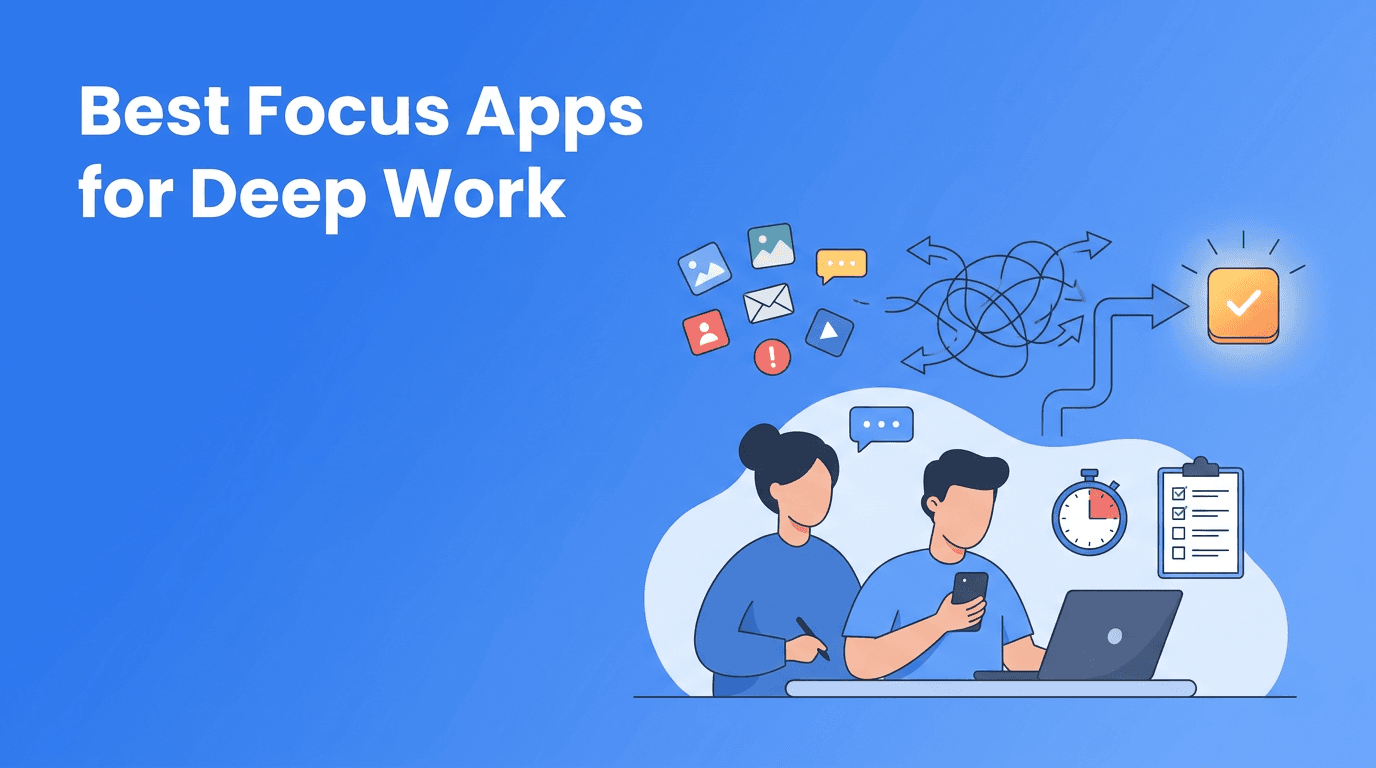
Best Focus Apps for Deep Work: How AI Tools Reduce Context Switching
Searching for the best focus apps? This guide explains how AI tools, productivity apps, and self-improvement apps can reduce context switching and help you protect deep work time.

By Haply Team
Haply Editorial Team
The best focus apps do more than block notifications. They help you reduce task switching, structure attention, and turn scattered digital tools into a system that supports real progress. For people comparing AI tools, productivity apps, and self-improvement apps, the key question is not which app has the most features, but which one helps you protect meaningful work.
Why focus is now an app design problem
Many people assume poor concentration is a personal discipline issue. In practice, it is often a system issue. Phones, inboxes, team chat, and endless tabs create constant friction. That is why the market for the best apps in personal improvement increasingly overlaps with attention management. The strongest digital tools now help users decide what deserves attention, when to engage, and what to ignore.
- Notifications fragment attention long before work feels difficult.
- Context switching has a recovery cost, even when interruptions are brief.
- AI tools can now help summarize, prioritize, and reduce low-value decision fatigue.
- The most useful productivity apps are shifting from storage tools to guidance tools.
What to look for in the best focus apps
If you are comparing the best focus apps, start with outcomes instead of branding. A useful app should help you enter work faster, stay with one task longer, and review progress without adding more admin. This is where many self-improvement apps fail, they ask users to track too much and think too hard.
Core features that actually matter
- A focus timer that is easy to start in seconds
- Simple task capture so ideas do not interrupt current work
- Daily planning that highlights the single most important task
- Gentle reminders instead of constant alerts
- Progress tracking that supports momentum, not guilt
- Optional AI tools for reflection, prioritization, or coaching
"Attention is not just something you have. It is something your environment either protects or spends."
A practical comparison: blockers, planners, and coaching apps
Most focus tools fall into three categories. Blocker apps remove distractions, planner apps organize tasks, and coaching apps help you follow through. The best setup often combines all three functions, but many users prefer fewer apps, not more. That is why integrated digital tools are becoming more attractive.
Where different app types help most
- Blocker apps are useful when social media and browsers are the main problem.
- Planner apps work well when the issue is unclear priorities, not temptation.
- AI coaching apps and guided self-improvement apps help when consistency, motivation, and reflection are the bigger challenge.
- All-in-one tools can reduce switching between multiple productivity apps throughout the day.
Haply fits the coaching-led approach. Available on iOS and Android, it combines chat-based AI coaching with practical mini-tools such as a Focus Timer, Task Planner, breathing exercises, and a personalized Today Dashboard. Instead of acting like a simple timer, it aims to connect focus sessions with larger goals in areas like productivity, wellness, learning, and career.
Looking for one app that supports focus and follow-through?
Haply combines AI coaching, a habit tracker, focus tools, and personalized daily guidance so your work system feels lighter and more consistent.
Try Haply FreeHow AI tools improve focus without adding more noise
Some people avoid AI tools because they expect extra complexity. That concern is valid. Poorly designed AI creates more prompts, more decisions, and more distraction. But well-designed AI can reduce the mental overhead around planning and reflection. That makes it relevant when evaluating the best apps for concentration and work quality.
- Use AI to turn vague goals into next actions
- Ask AI to break large projects into short focus sessions
- Use coaching prompts to review distractions without self-criticism
- Let AI summarize progress so weekly reviews take less effort
- Use habit reminders to reinforce routines around deep work
A simple 3-step system using digital tools for better deep work
1. Set one priority before opening everything else
Open your planning or coaching app first, not your inbox. The best focus apps reduce drift by helping you define one concrete target before reactive work begins.
2. Work in visible sessions
Use a timer and commit to one session length, such as 25 or 45 minutes. This works especially well when productivity apps track streaks or session history, because visible progress supports repeat behavior.
3. Close the loop with a short review
At the end of the session, note what moved forward and what caused friction. The best self-improvement apps make this review fast, so reflection improves the next session instead of becoming another task.
Choosing the right app for your actual problem
If you keep downloading the best apps but still feel distracted, the issue may be mismatch. Choose based on the bottleneck. If distraction is external, use blockers. If priorities are unclear, use planners. If motivation fades after two days, look at coaching-based digital tools that personalize support over time.
- Choose blocking tools for reactive scrolling
- Choose planning tools for workload confusion
- Choose AI coaching tools for inconsistent follow-through
- Choose integrated self-improvement apps when you want fewer moving parts
The most effective stack is usually the one you will actually keep using. In that sense, the best focus apps are not always the most advanced. They are the ones that reduce friction, support intention, and make focused work easier to repeat.
Frequently Asked Questions
What are the best focus apps for deep work?
The best focus apps are the ones that match your main challenge, such as distraction, weak planning, or inconsistent follow-through. Look for timers, task clarity, reminders, and simple review features.
How do AI tools help with focus and productivity?
AI tools can help by breaking goals into steps, reducing planning friction, and supporting reflection after work sessions. The best ones simplify decisions instead of creating more noise.
Are self-improvement apps good for concentration?
Yes, especially when they combine habit tracking, guided reflection, and practical tools like timers or planners. They are most useful when focus problems are tied to routines and motivation.
Which productivity apps are best for reducing context switching?
Productivity apps that combine task planning, focus sessions, and progress review are often best for reducing context switching. Fewer app jumps usually means less mental fragmentation.